Non-custodial · Crypto-only · Merchant-first
Accept crypto payments
that land in your own wallet.
Payzum is a non-custodial, crypto-only payment processor. Merchants take
payments across Bitcoin, Ethereum and the major EVM chains, and funds route
directly to wallets they own — Payzum never holds the money. One platform covers
online checkout, in-person POS, mass payouts and an agent-payable API.
How to use this book. Each chapter pairs a real product screen with a
“What to say” talk track and ends with who to sell it to.
Chapters 11–12 are the field kit: ideal-customer profiles, discovery questions and
objection handling. Built for the sales & marketing team — not for prospects.
What Payzum is — in one sentence
“Stripe for crypto, except the money never touches us.” Payzum is a
payment processor that lets any business accept crypto and have it settle straight
into wallets the business controls. No custody, no holding period, no off-ramp dependency —
it’s crypto-in, crypto-out, and compatible with the e-commerce stack merchants
already run.
The homepage hero. Lead with the headline verbatim: “payments that land in your own wallet.” That single line carries the entire differentiator — most prospects assume crypto processing means trusting a custodian with their funds.
🎯 What to say
“Payzum is a non-custodial crypto payment processor. You plug it into your existing checkout, your customer pays in Bitcoin or stablecoins, and the money lands directly in a wallet only you control — we never hold it, so there’s nothing to withdraw, no settlement delay, and no counterparty risk on us.”
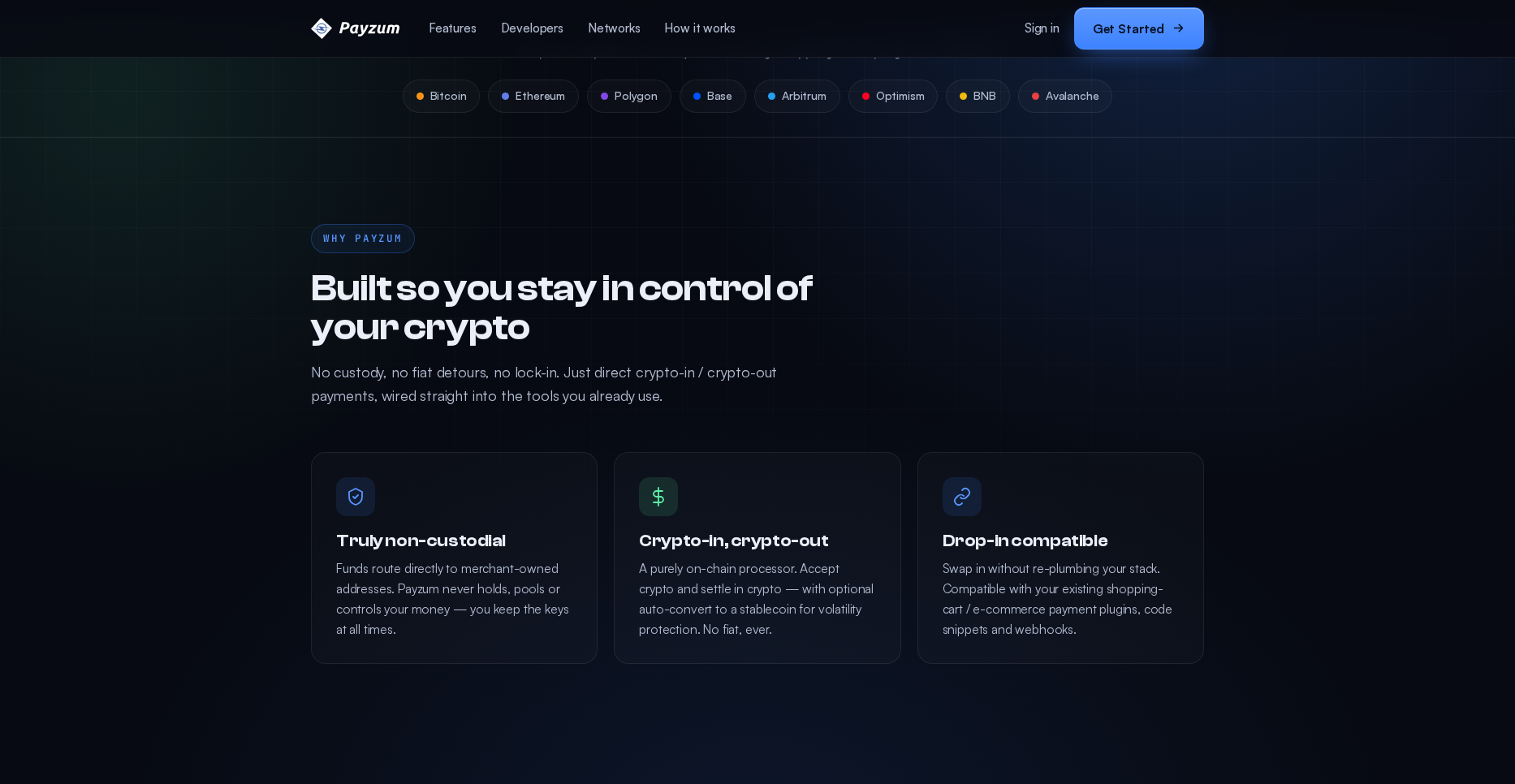
The non-custodial wedge — our #1 talking point
This is the feature that wins deals. Three sub-claims do the work:
truly non-custodial (funds route to merchant-owned addresses, keys stay with the
merchant), crypto-in / crypto-out (accept crypto, settle in crypto, with optional
stablecoin auto-conversion to USDC / USDT), and
drop-in compatible (works alongside existing e-commerce plugins and wallets).
“Built so you stay in control.” Truly non-custodial · Crypto-in, crypto-out · Drop-in compatible. When a prospect worries about a processor going under or freezing funds (post-FTX reflex), this slide is your answer: there is no Payzum balance to freeze.
🎯 What to say
“With a custodial processor your money sits on their balance sheet until they decide to pay out. With Payzum it never does — settlement is the payment. If a customer pays at 2pm, it’s in your wallet at 2pm. Optional auto-conversion to USDC/USDT means you can stay in stablecoins and never touch volatility.”
⚠️ Qualify for fit
Non-custodial means the merchant manages their own wallet/keys. That’s a selling point for crypto-native businesses and a support conversation for traditional ones — flag wallet readiness early (Chapter 12 covers the objection).
Accept payments online — five surfaces, no code
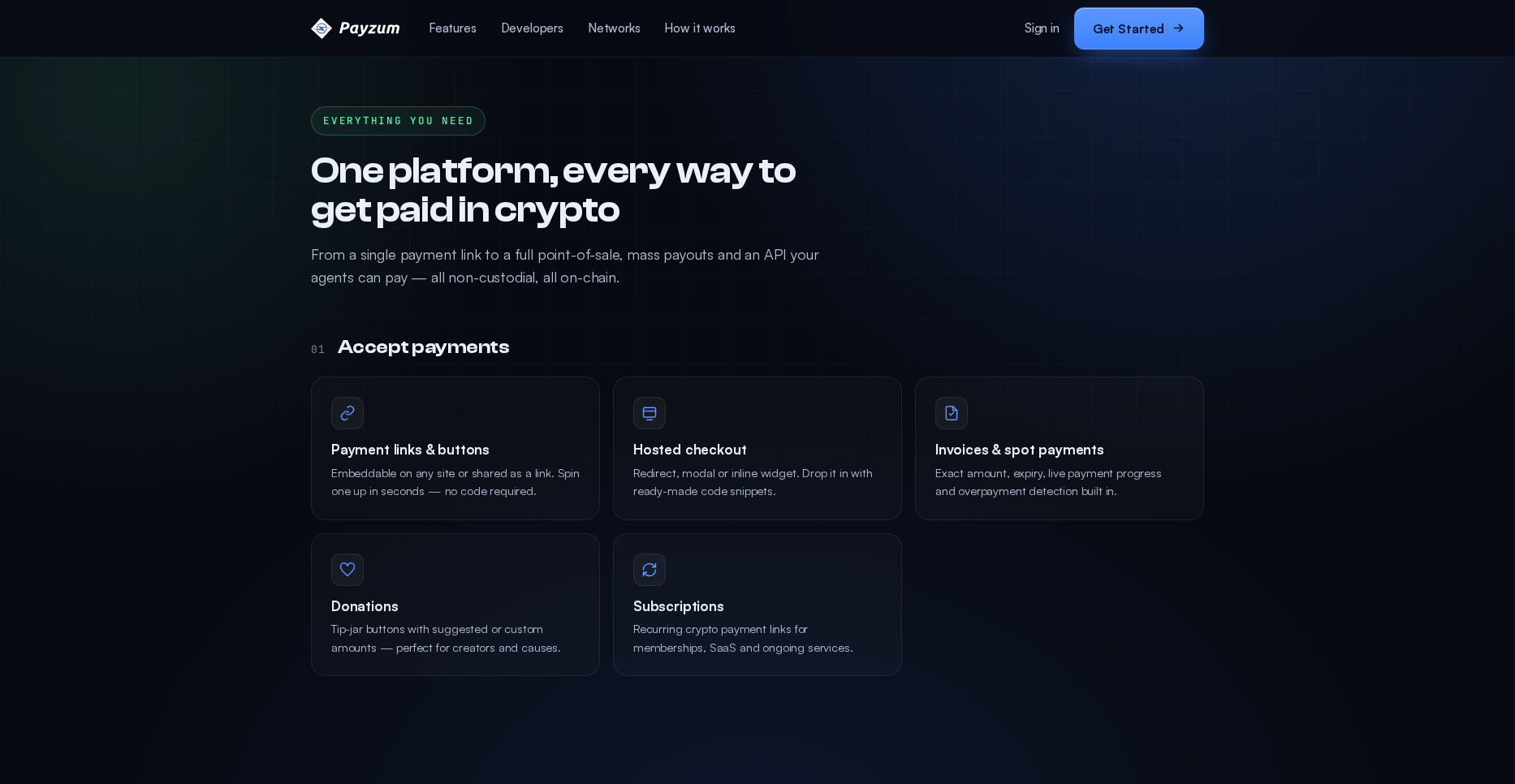
One platform, every way to get paid online. Payment links & buttons
(no code), hosted checkout (redirect, modal or inline widget),
invoices & spot payments (with expiry + overpayment detection),
donation / tip-jar buttons, and recurring subscriptions.
Each one is a different conversation with a different buyer.
“One platform, every way to get paid.” From a single payment link to full hosted checkout, mass payouts and an API — all non-custodial, all on-chain. Use this as the “you won’t outgrow us” slide.
Payment links & buttons — no code
Hosted checkout — redirect / modal / inline
Invoices — expiry + overpayment detection
Donations / tip-jar
Subscriptions — recurring
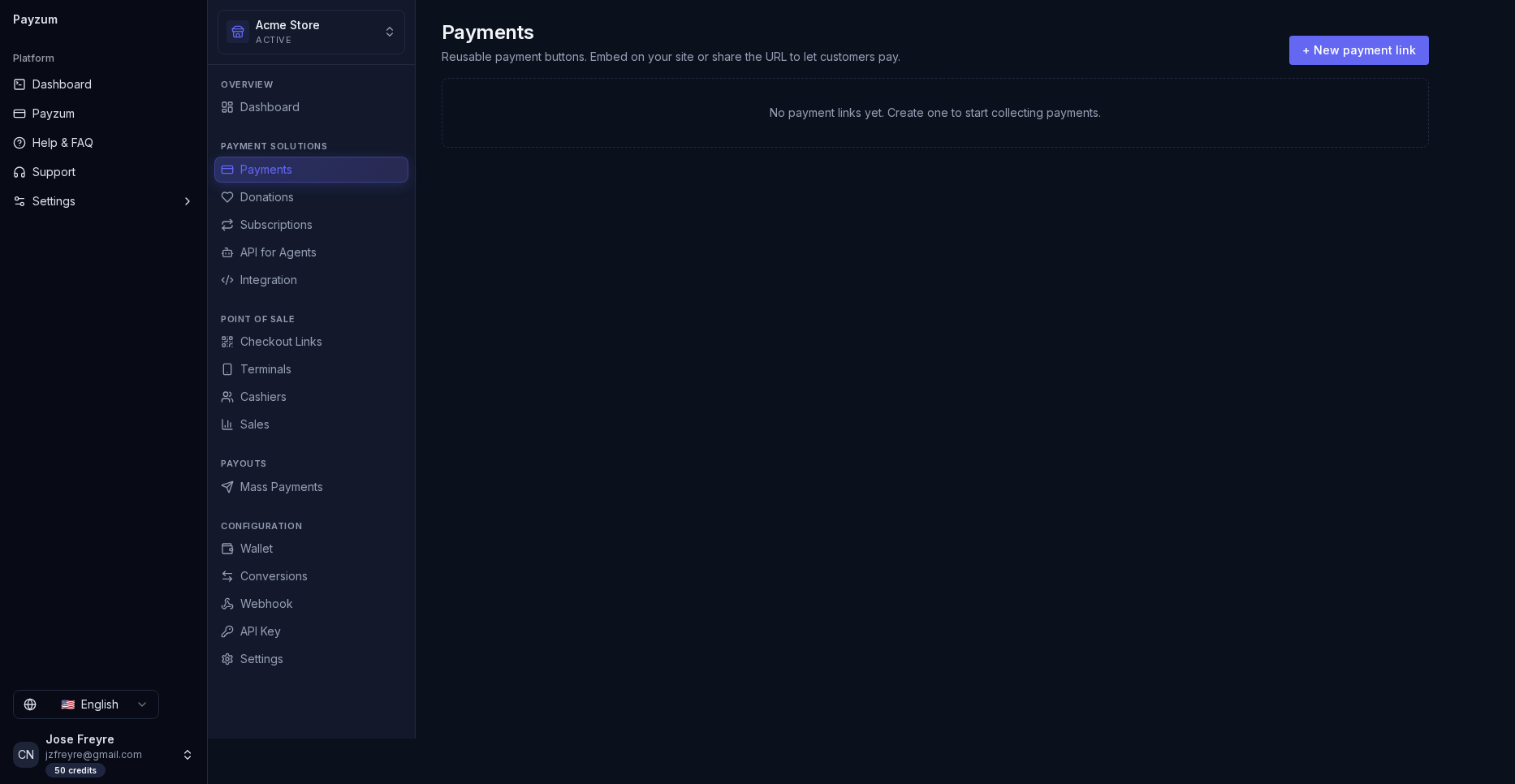
Payments. Every payment in one filterable list (pending / paid / overpaid / expired). This is the “did the money arrive?” screen a merchant lives in.
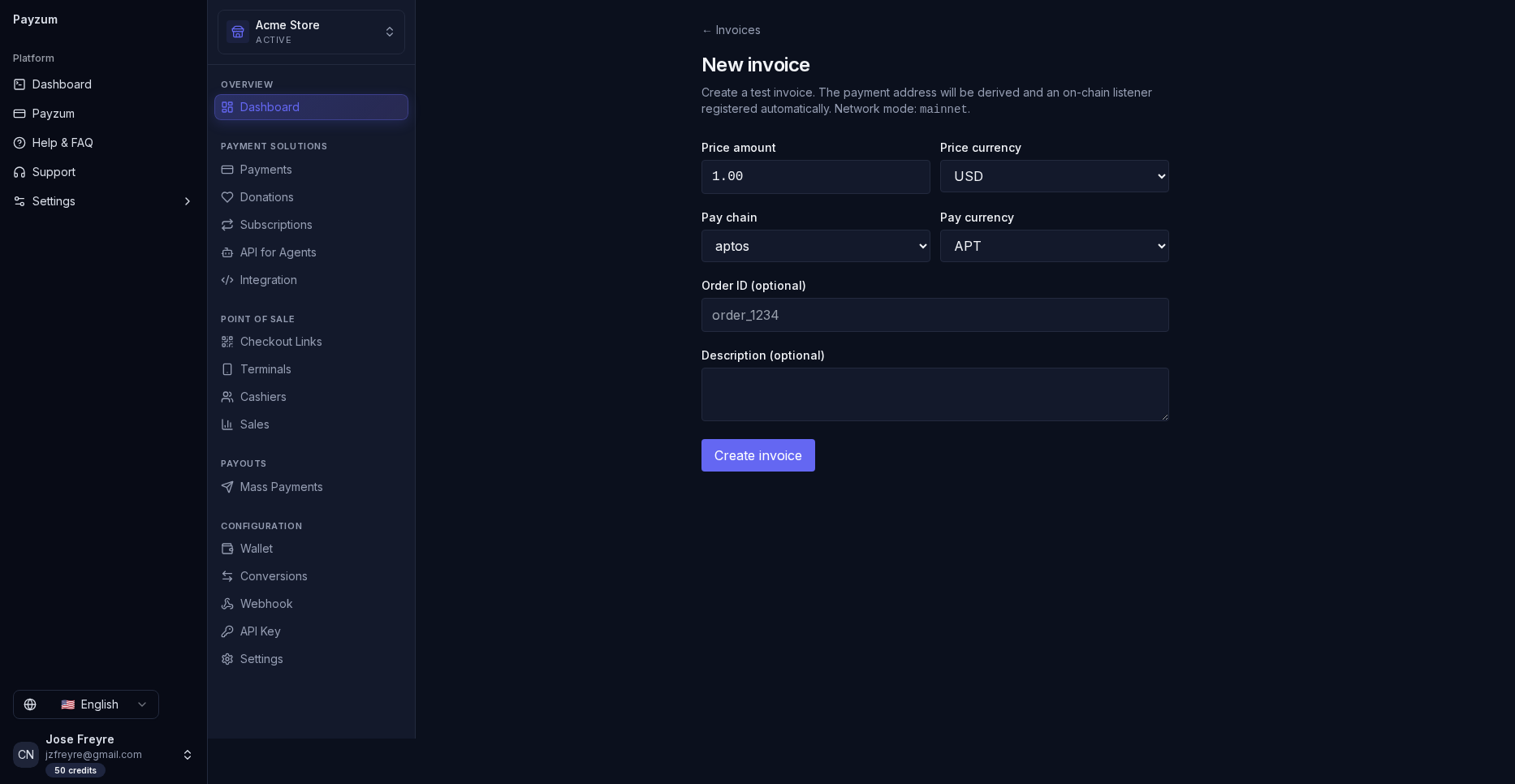
Create invoice. Spot payment with expiry and overpayment detection built in — the B2B / freelancer entry point. Note the live “Test invoice” path for demos.
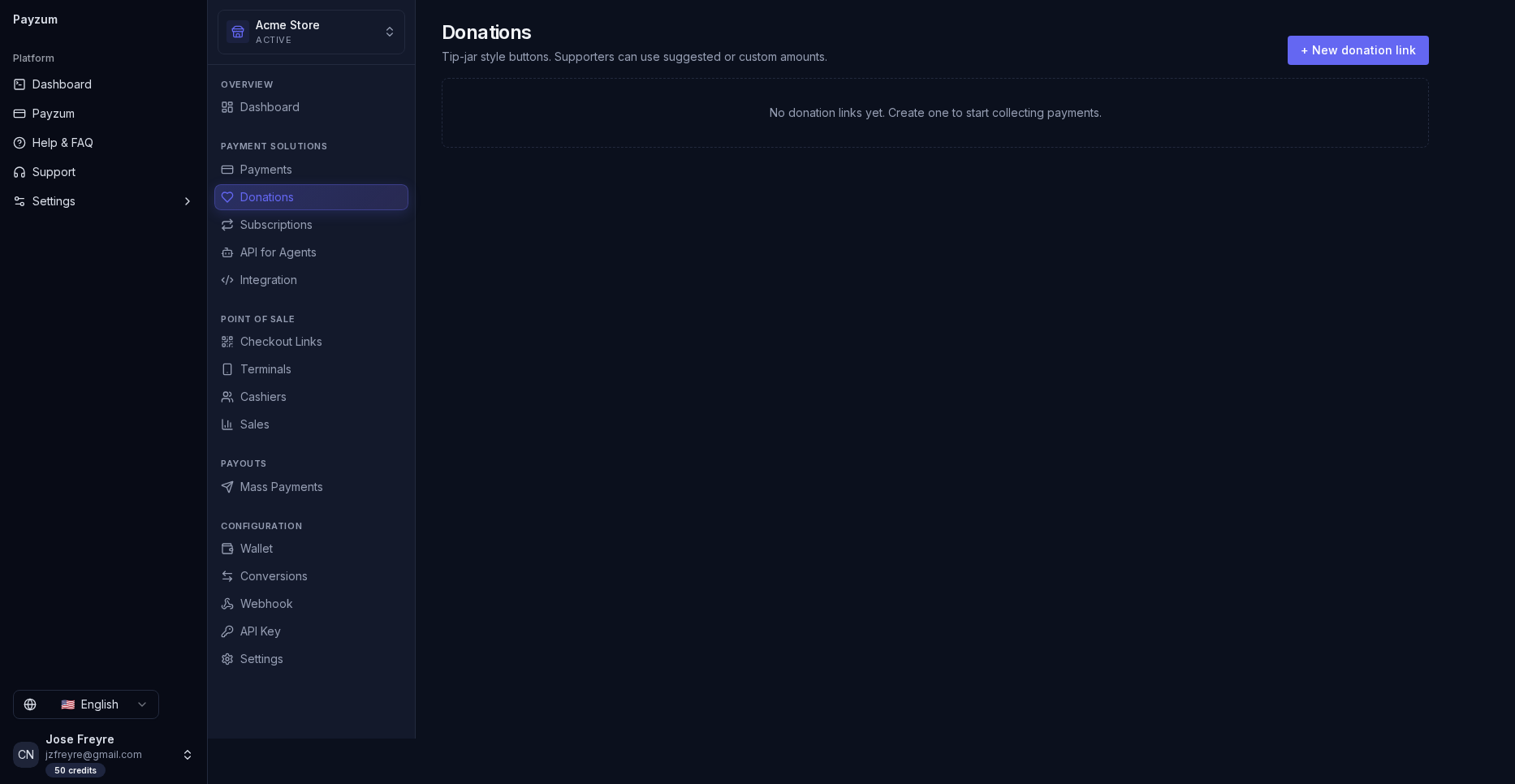
Donations. A tip-jar button creators and nonprofits can ship in minutes — the fastest land-and-expand on-ramp.
Subscriptions. Recurring crypto billing for memberships and SaaS — the recurring-revenue conversation.
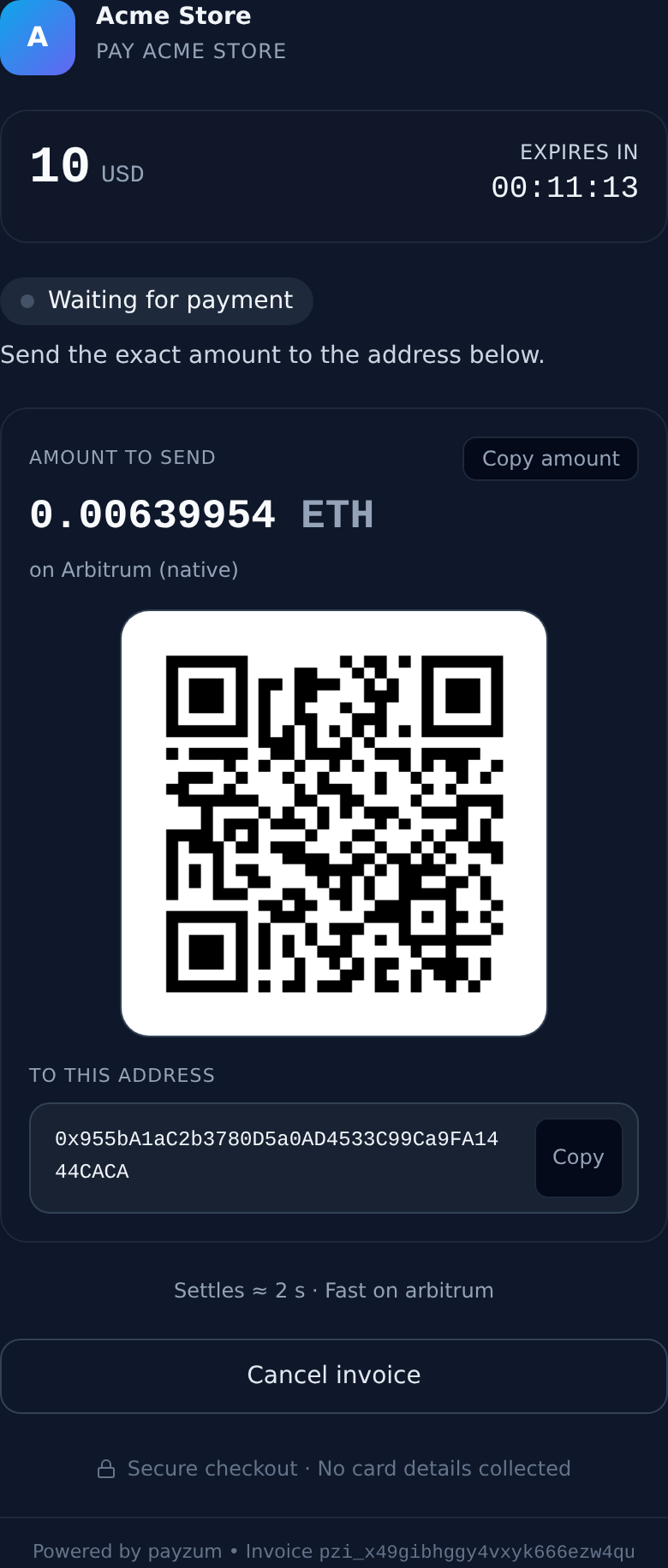
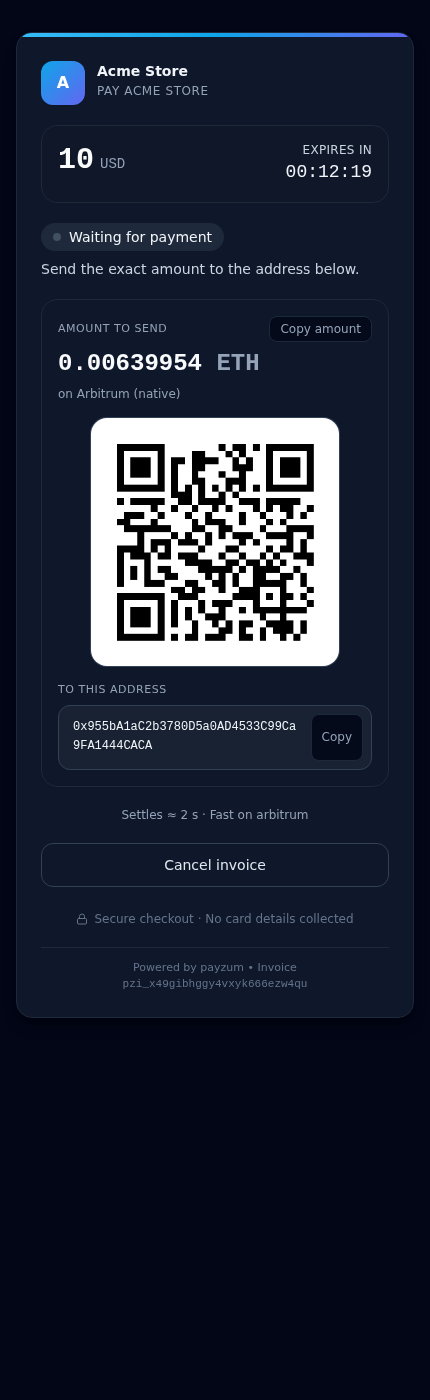
And this is what the customer sees — the hosted checkout widget every
surface produces (payment link, invoice, POS): merchant brand, amount, a live
expiry countdown, the exact crypto amount, a scannable QR code,
the receive address, and “Secure checkout · no card details collected.” The same
widget can be embedded inline, as a modal, or via redirect.
The pay widget (desktop). The buyer scans the QR or copies the address; it settles in ≈2s on Arbitrum. This is the screen behind every payment link, invoice and POS checkout — your customer never sees a card form.
The pay widget (mobile). QR-first and responsive — a buyer scans it straight from another phone or taps through to their wallet. Identical experience from a payment link, a POS QR or an emailed invoice.
🎯 How to demo it
Map the surface to the buyer: a creator wants a donation button in 30 seconds; a Shopify store wants hosted checkout; a B2B vendor wants invoices with expiry; a SaaS wants subscriptions. Show that all of it lives behind one login — “start with a link today, add checkout when you’re ready.” Then open a real pay link and scan the QR live — nothing sells faster than watching it settle.
Point of sale — turn any device into a crypto terminal
Payzum’s POS mode is the in-person story: a cashier-friendly checkout that
generates a QR code for the customer to scan, physical terminal
management, PIN-based cashier tracking, and
sales analytics by cashier and payment type. No acquirer, no card-network
fees, no chargebacks.
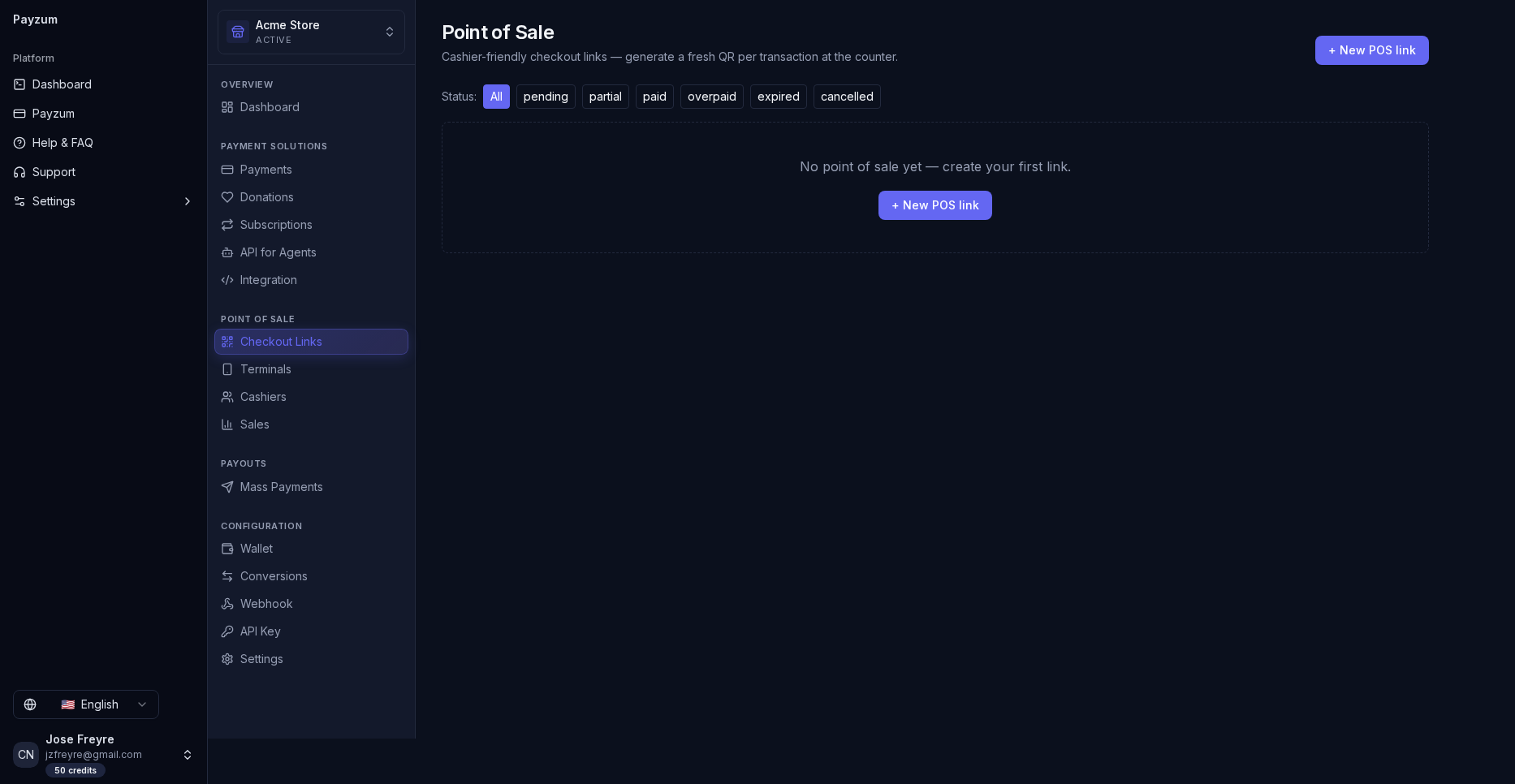
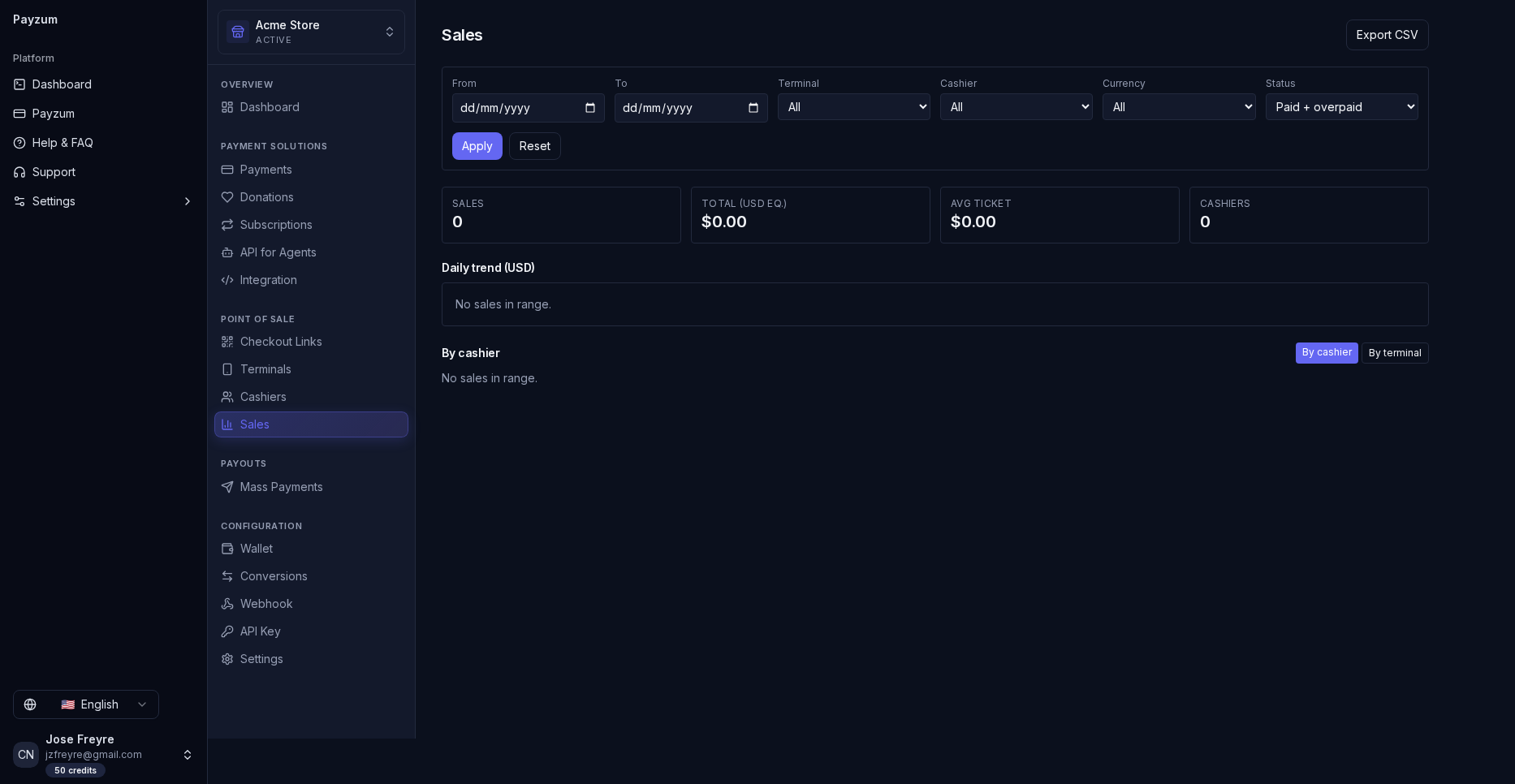
Point of Sale. The merchant dashboard’s POS section: cashier-friendly checkout links that mint a fresh QR per transaction, with statuses (pending / partial / paid / overpaid / expired). Settlement lands in the merchant wallet instantly.
Cashiers. Each cashier rings up under their own PIN, so every sale is attributable — the “who sold what” accountability story.
Sales. Revenue broken down by cashier and asset. Pair with Terminals to manage physical devices — all without a card acquirer.
🎯 What to say
“If you can open a browser, you have a crypto terminal — no hardware contract. Each cashier logs in with a PIN, so you see exactly who rang up what, and there are zero chargebacks because crypto settlement is final.”
Payouts — send money out at scale
Payzum isn’t only for taking money in. Mass payouts via CSV on
Bitcoin, Litecoin and Dogecoin, plus EVM stablecoin payouts
across multiple chains. Upload a file, review, send — payroll, affiliate runs, supplier
settlements and creator revenue-shares in one batch.
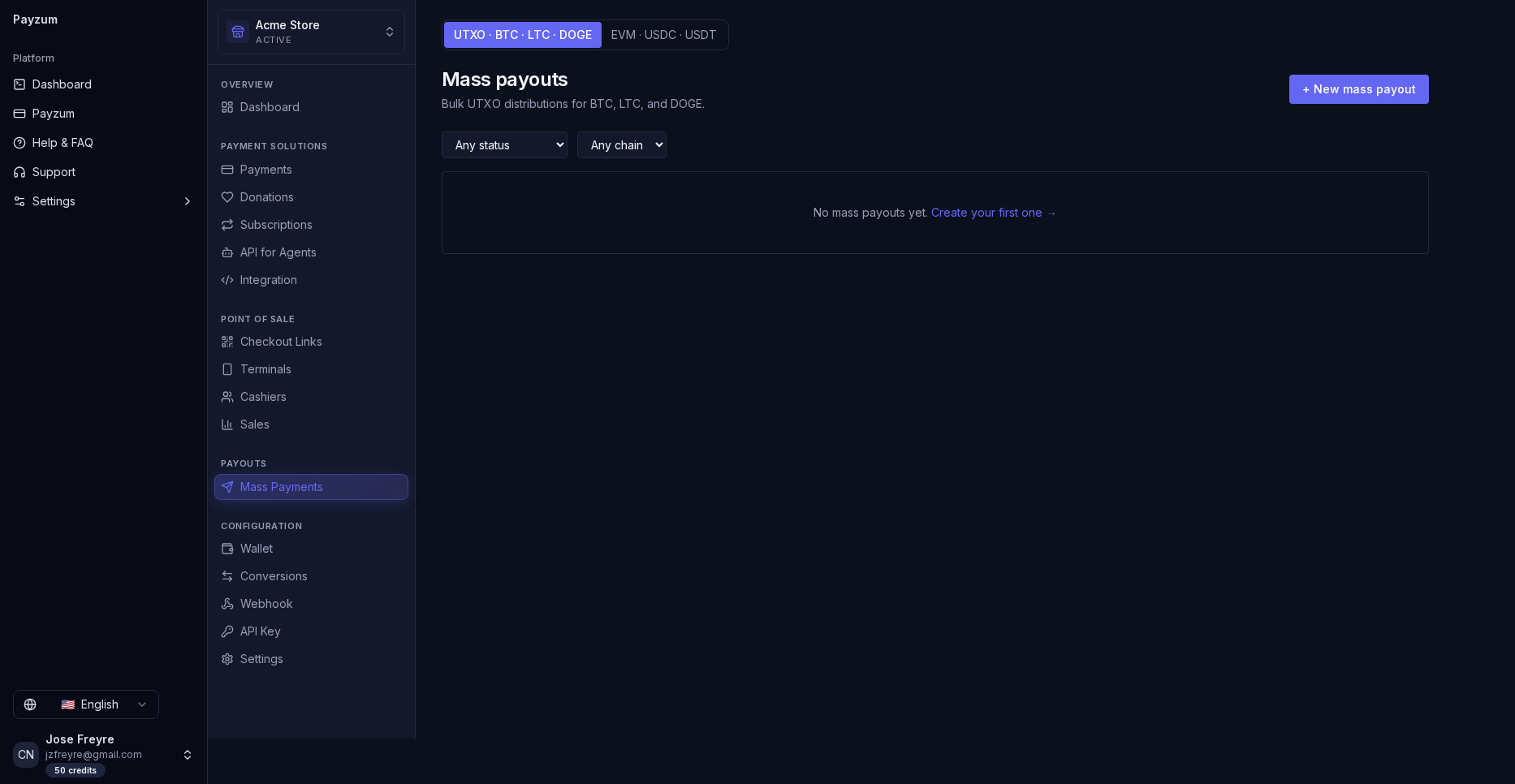
Mass payouts. Two modes toggle at the top: UTXO · BTC · LTC · DOGE for “Bulk UTXO distributions,” and EVM · USDC · USDT for stablecoin batches across chains. CSV in, multi-output transaction out. This is the “we also save you money on the way out” feature.
🎯 What to say
“Most processors only help you collect. Payzum also handles mass payouts — drop in a CSV and pay a thousand affiliates, contractors or winners in one go, on-chain, without a bank wire queue or per-transfer bank fees.”
Developer & agentic — “an API your agents can actually pay”
For technical buyers: a secure REST API with API-key auth,
signed webhook payloads, and a live integration playground
with copy-paste code. The differentiator is x402 — the open
pay-per-call protocol that lets AI agents pay for an API call in USDC on Base,
directly to the merchant’s address, no invoice and no custody.
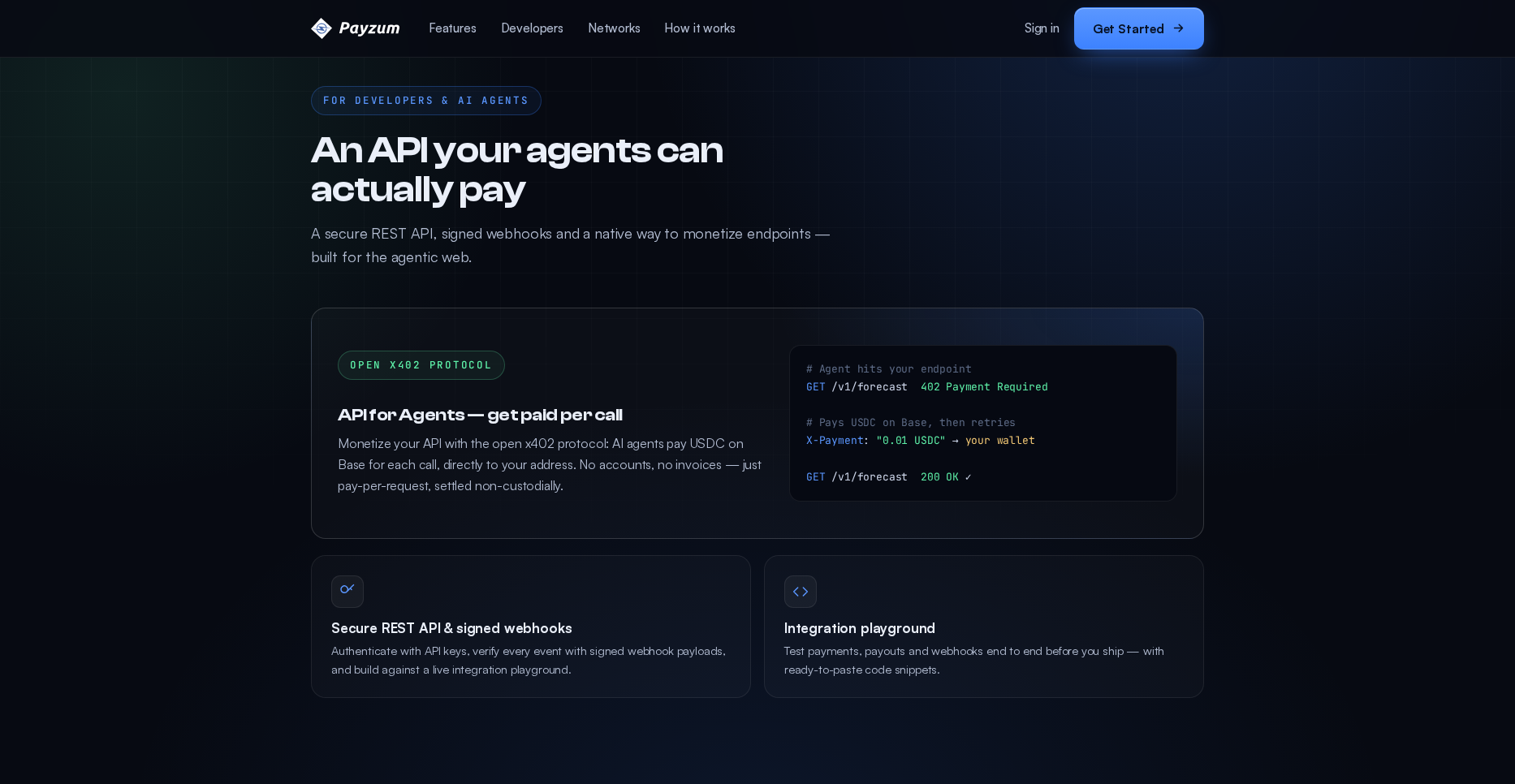
“An API your agents can actually pay.” x402 is the forward-looking hook: monetize an endpoint so autonomous agents pay per request in USDC on Base. This is the slide for the AI / API-first crowd — nobody else is leading with agentic payments.
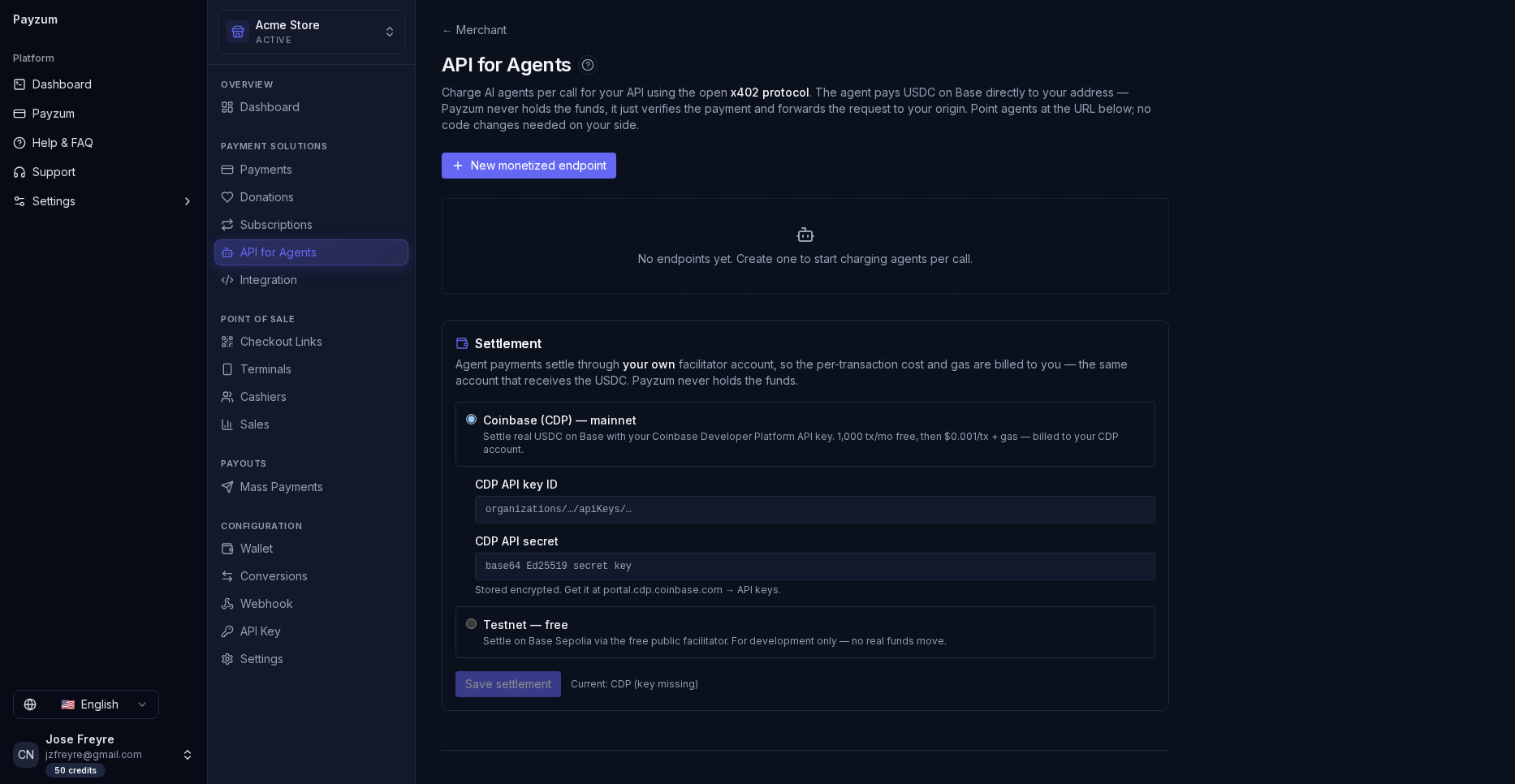
API for Agents (x402). “Charge AI agents per call… the agent pays USDC on Base directly to your address.” Settlement runs through the merchant’s own Coinbase CDP account — 1,000 tx/mo free, then $0.001/tx + gas, or a free Base-Sepolia testnet mode for dev.
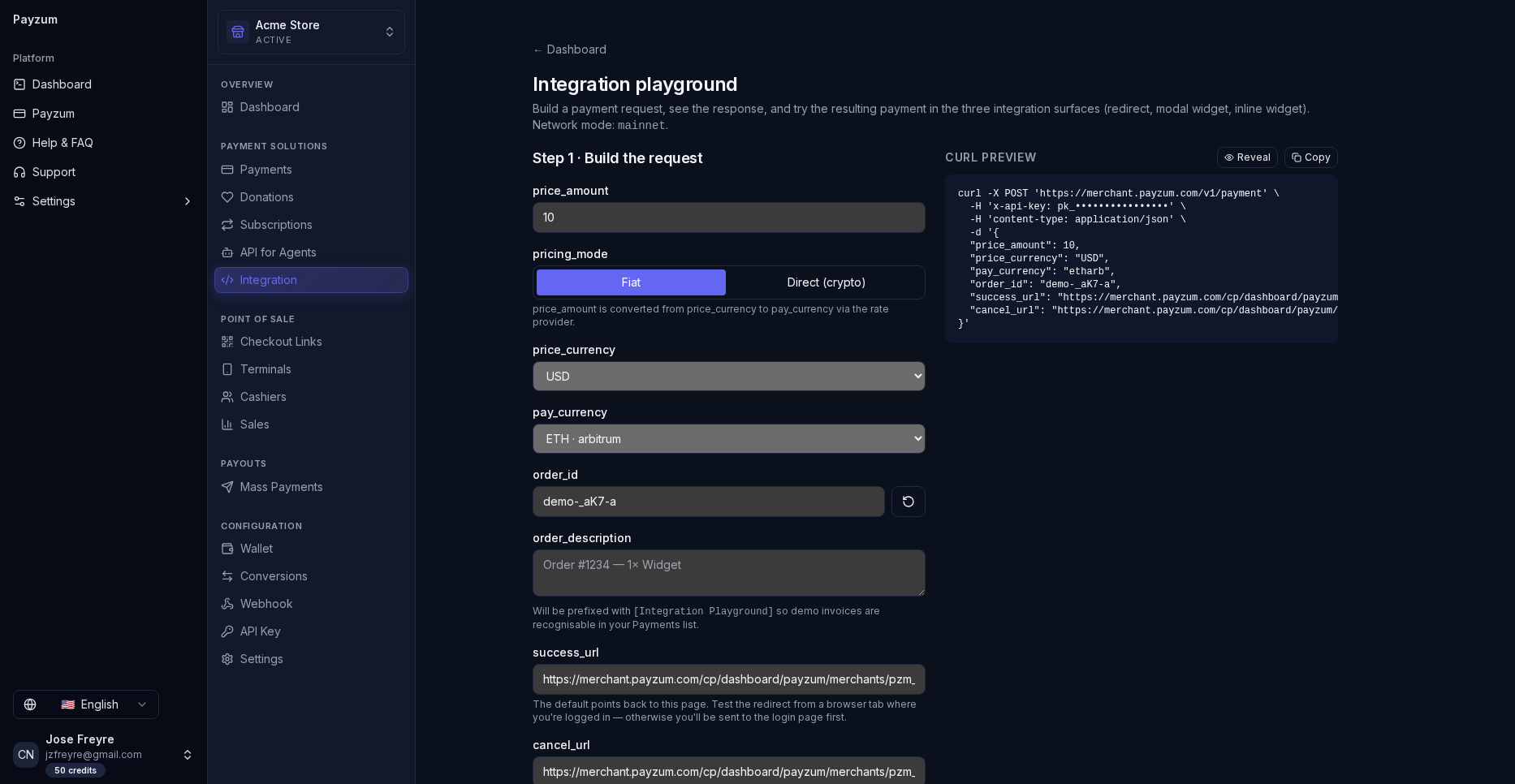
Integration playground. Pick amount, currency, order id and success/cancel URLs; the panel emits a live cURL you can paste. This is the “your devs are live this afternoon” proof.
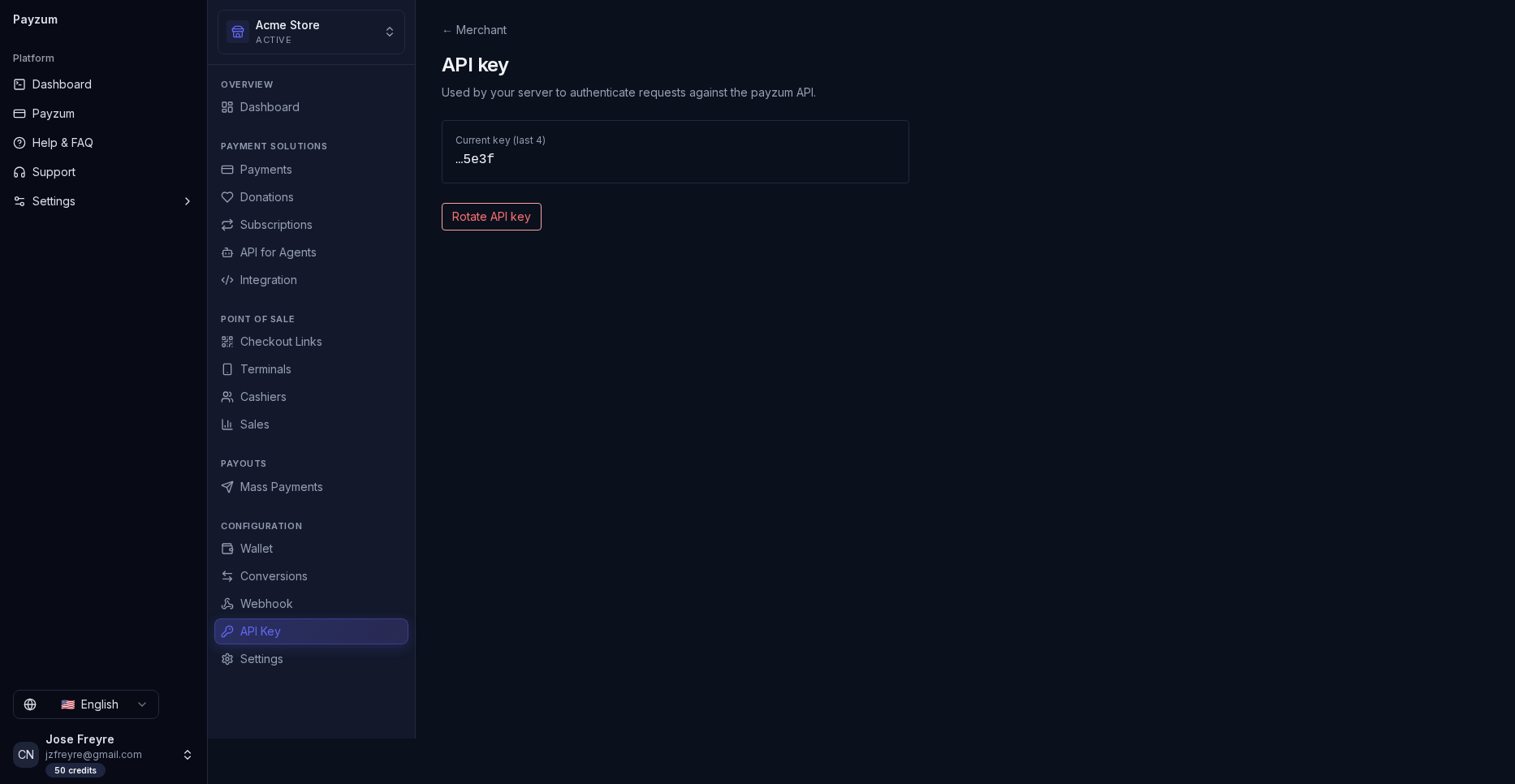
API keys. Keys are scoped to the merchant tenant — agencies running multiple brands keep credentials cleanly separated.
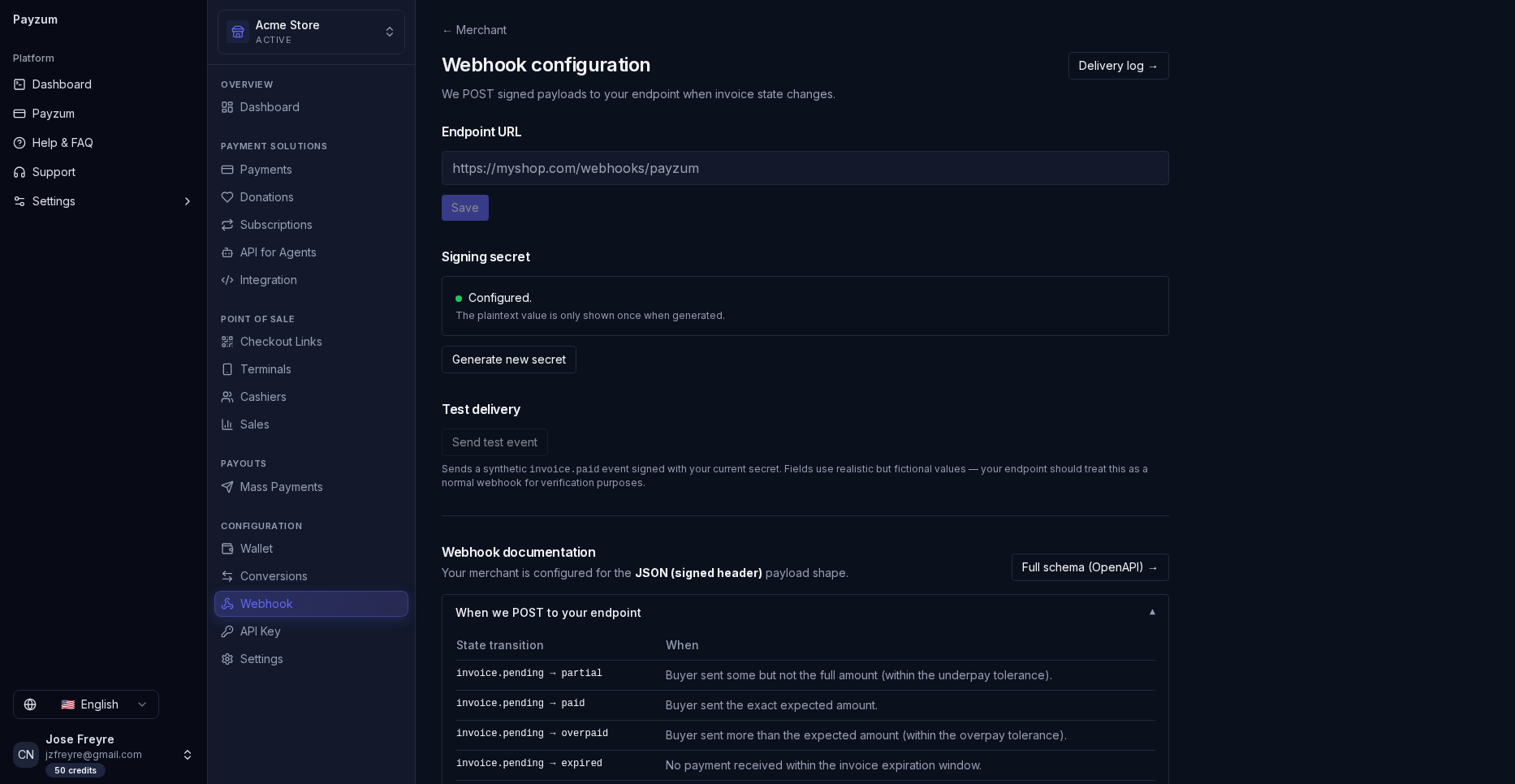
Webhooks. Every event ships as a signed payload your backend verifies — no spoofed “payment received” calls.
🎯 What to say (technical buyer)
“Standard REST + API keys + signed webhooks, so your devs are productive in an afternoon via the playground. And if you sell an API, x402 lets you charge AI agents per call in stablecoin — settled to your own Coinbase account, 1,000 calls/month free — a brand-new revenue line that custodial processors literally can’t offer.”
Networks & currencies — the chains that matter
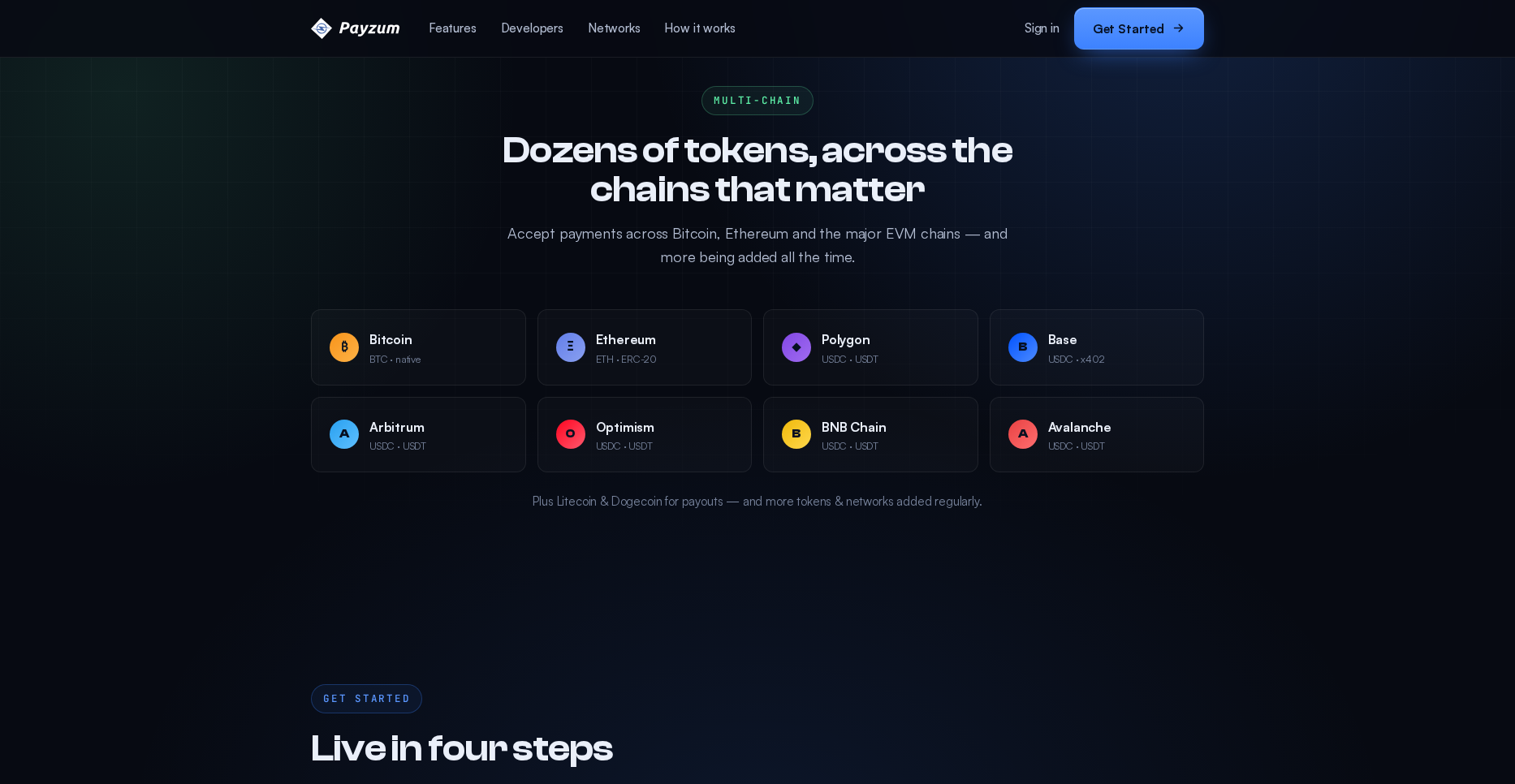
Accept across Bitcoin, Ethereum, Polygon, Base, Arbitrum, Optimism, BNB Chain and
Avalanche, in BTC, ETH, ERC-20 tokens and stablecoins
(USDC / USDT). Litecoin and Dogecoin are
available for payouts, with more tokens and networks added regularly.
“Dozens of tokens, across the chains that matter.” Breadth without the noise — the major chains real customers actually pay on, plus stablecoins for businesses that want zero volatility. Position breadth as “your customer pays however they hold; you settle however you want.”
🎯 What to say
“Your customers aren’t all on one chain — Payzum covers the eight that matter, and stablecoins on Base/Polygon mean cents in fees instead of dollars. Auto-convert to USDC and you get crypto’s reach with a dollar’s stability.”
Security & trust — hardened by default
The trust layer that lets you sell to serious businesses: two-factor
authentication on accounts, signed webhook payloads (every event
is verifiable), encrypted secrets storage, and full audit
logging. Combined with non-custody, the security story is simple: we can’t
lose funds we never hold.
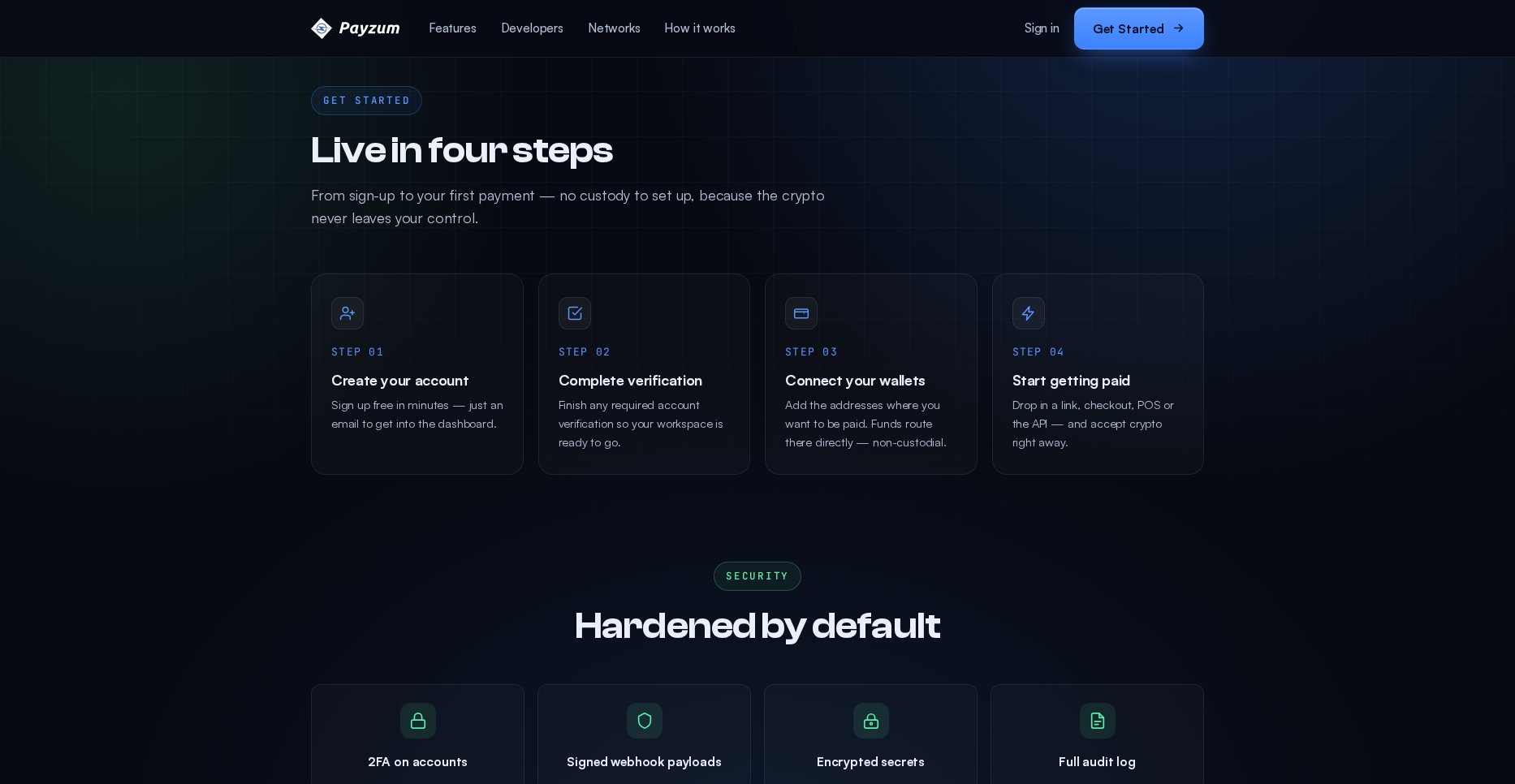
“Hardened by default.” 2FA on accounts · Signed webhook payloads · Encrypted secrets · Full audit log. (This screen also shows the four-step onboarding above — Chapter 09.) Use the security row when selling to finance / compliance stakeholders.
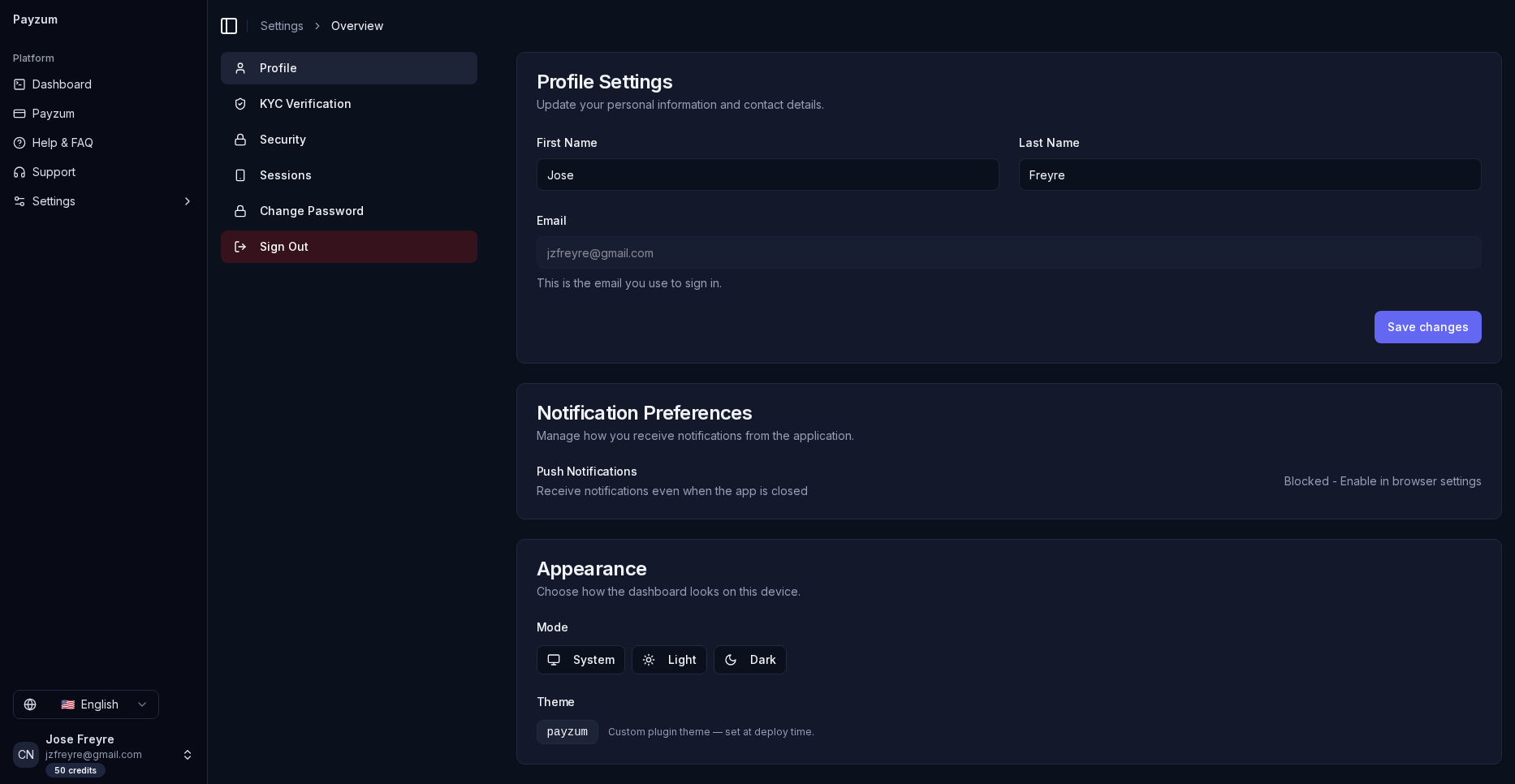
Account security, in product. The real settings panel: KYC Verification, Security (2FA), active Sessions and password management. Concrete proof for a compliance stakeholder that the controls exist — not just marketing copy.
🎯 What to say (security / finance buyer)
“The biggest crypto-processor risk — a custodian losing or freezing your money — doesn’t exist here, because we never custody it. On top of that: 2FA, signed webhooks your systems can verify, encrypted secrets and a full audit trail for every action.”
Onboarding — live in four steps
Speed-to-value is a sales asset. The path is (1) Create your account →
(2) Complete verification → (3) Connect your wallets
(the addresses funds route to — non-custodial) → (4) Start getting paid
via link, checkout, POS or API. Sign-in supports email/password, Google and
passkeys.
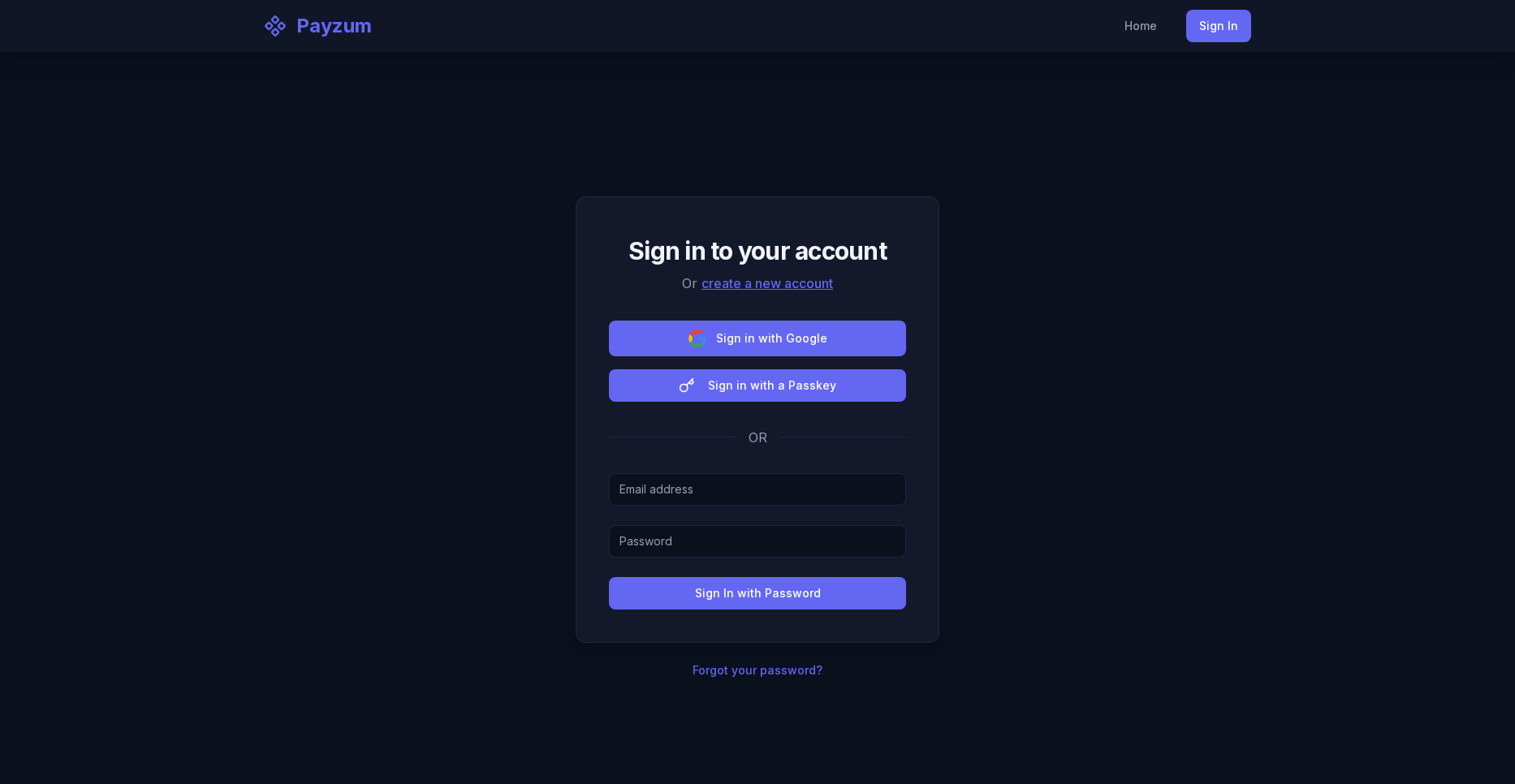
Sign in. Password, Google SSO, or passwordless passkey — a modern, low-friction entry that signals product maturity.
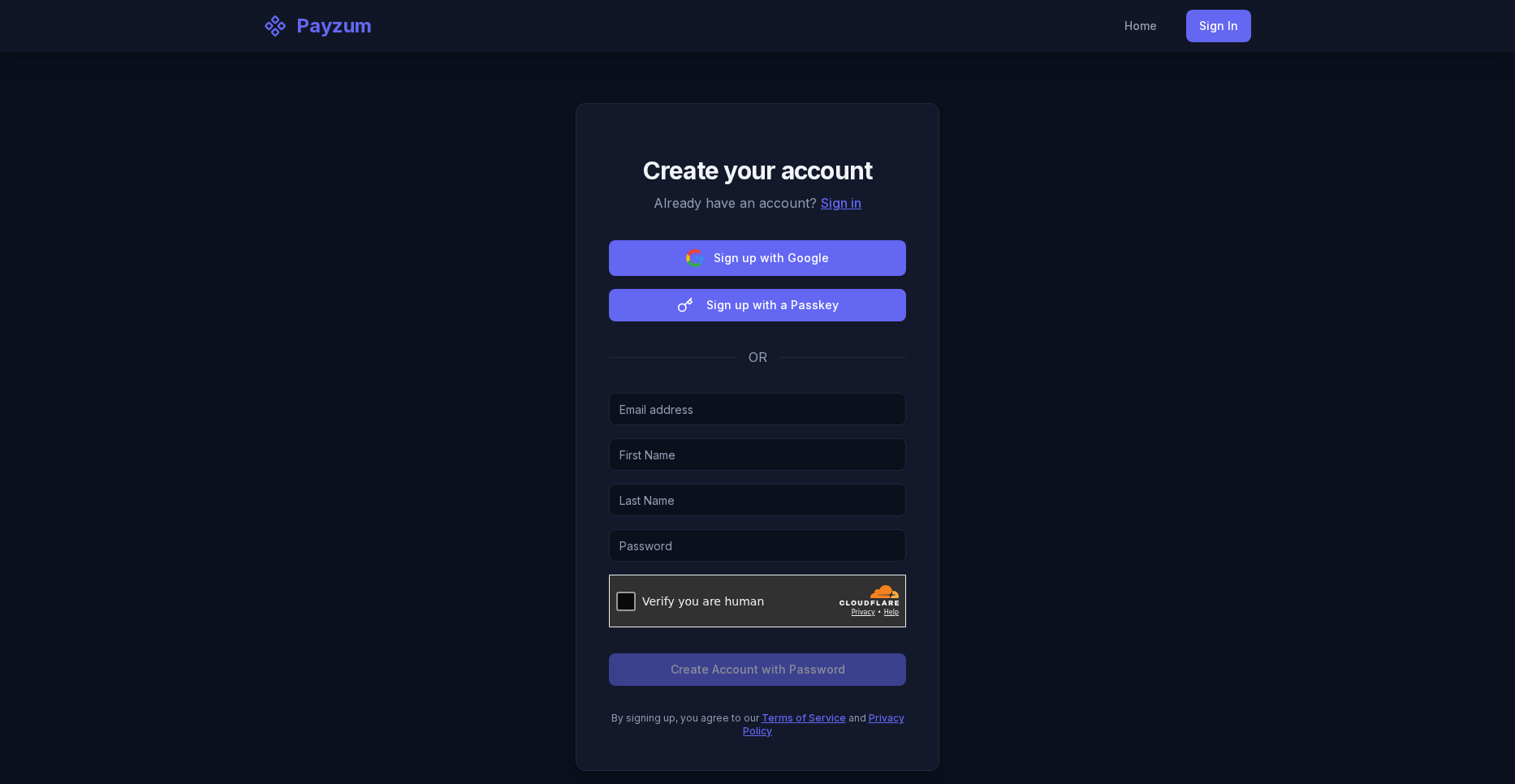
Sign up. Free account in minutes; the merchant lands in the dashboard and connects payout wallets. “No custody to set up, because the crypto never leaves your control.”
🎯 What to say
“From signup to first payment is four steps and there’s nothing to underwrite on the money side — you connect the wallet you own and start accepting. A creator can be live with a donation link before this call ends.”
The merchant dashboard — where it all lives
The authenticated dashboard is the single console: payments & transactions,
payment links, checkout config, invoices,
subscriptions, POS, payouts,
connected wallets, developers / API keys,
webhooks and settings — with multi-merchant management
from a single login.
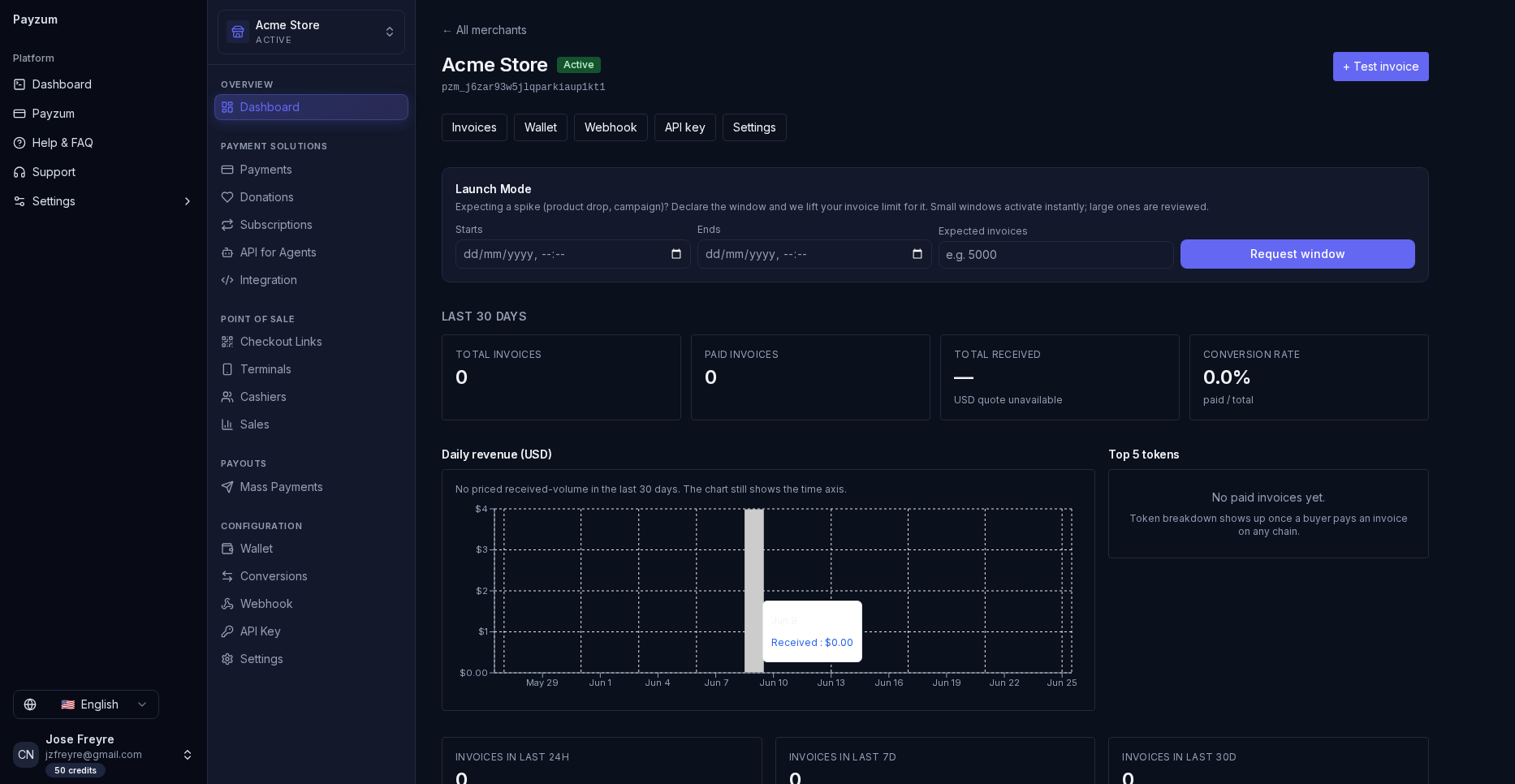
The dashboard. One console: a left rail grouped into Payment Solutions · Point of Sale · Payouts · Configuration, last-30-day KPIs (invoices, paid, received, conversion rate), a revenue chart and top-tokens panel. The “Launch Mode” banner even lets a merchant pre-declare a product-drop spike so invoice limits lift for the window.
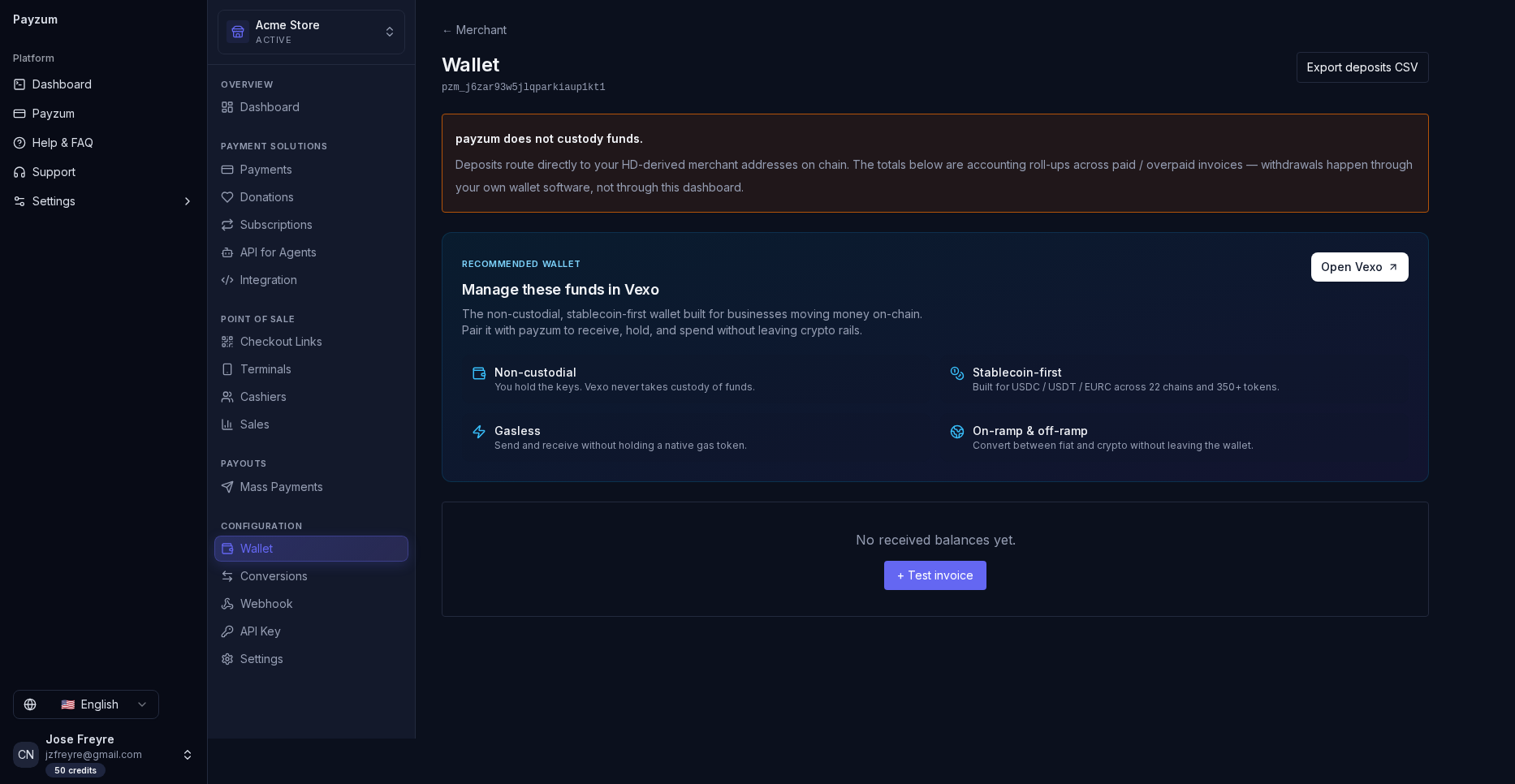
Wallet — the non-custody proof, on screen. The panel states it plainly: “Payzum does not custody funds — deposits route directly to your HD-derived merchant addresses on-chain.” Funds can be managed in Vexo (non-custodial, gasless, stablecoin-first, with on/off-ramp). This is your strongest demo moment — show it.
🎯 How to demo it
Open with the overview, switch merchants from the top selector (proves multi-merchant for agencies), then land on Wallet and read the non-custody line out loud. The “aha” is seeing that funds route to the merchant’s own on-chain addresses — proof of non-custody, on screen.
Who to sell to — ideal customer profiles
Match the feature to the buyer. Each card below is a segment, the
feature that hooks them, and the line to lead with.
Featured cards are our highest-fit, fastest-closing profiles.
🪙Crypto-native businessesBest fit
Exchanges, NFT projects, Web3 SaaS, DAOs, validators. Already hold wallets and think in crypto — zero wallet-readiness friction.
Lead with: non-custody + multi-chain breadth + the API. They get it instantly.
🤖API / AI & agent platformsWedge: x402
Companies selling APIs, data, inference or tooling. x402 opens pay-per-call revenue from autonomous agents in USDC on Base — a capability nobody else leads with.
Lead with: “monetize endpoints for the agentic web.” Talk to their CTO.
🎨Creators & communitiesFast close
Streamers, newsletters, open-source, nonprofits. Donation / tip-jar buttons live in minutes; subscriptions for memberships. Lowest-friction entry point.
Lead with: “a donation link before this call ends.” Self-serve land-and-expand.
🛒E-commerce & DTC storesVolume
Shopify/Woo-style merchants wanting a crypto option at checkout. Hosted checkout + drop-in compatibility; stablecoin auto-convert removes volatility fear.
Lead with: “add crypto checkout without changing your stack — settle in USDC.”
🌍Cross-border & high-fee verticalsPain-led
Merchants hit by FX, card MDR or geographies cards don’t reach. On-chain settlement = cents in fees, no chargebacks, global reach.
Lead with: total cost vs. cards + “get paid where Visa won’t go.”
💸Payout-heavy operatorsPayouts
Affiliate networks, marketplaces, gig/creator platforms, gaming. CSV mass payouts (BTC/LTC/DOGE) + EVM stablecoin batches replace slow, costly bank runs.
Lead with: “pay a thousand people in one batch, on-chain.”
🏪In-person merchantsPOS
Cafés, events, pop-ups, crypto-friendly retail. POS mode turns a tablet into a terminal with QR checkout, cashier PINs and per-cashier analytics — no hardware contract.
Lead with: “any device becomes a no-chargeback crypto terminal.”
🧾B2B / SaaS & agenciesRecurring
Invoice-based vendors and subscription SaaS. Invoices with expiry + overpayment detection and recurring billing; agencies use multi-merchant to run many clients from one login.
Lead with: invoices/subscriptions for them; multi-merchant for agencies.
🎮iGaming, trading & high-riskUnderserved
Verticals banks and card networks shun. Non-custodial crypto rails sidestep acquirer risk; final settlement and no chargebacks are a structural fit.
Lead with: “rails that don’t get shut off.” (Confirm compliance posture first.)
The sales playbook — discovery & objections
The field kit. Use the discovery questions to qualify fit fast, and the
objection table to keep deals moving. Every answer ties back to the same
spine: non-custodial, crypto-only, one platform.
🔍 Discovery questions
- Do you already hold a company crypto wallet? — gauges wallet-readiness & which ICP they are.
- How do customers pay you today, and where does it hurt? — FX, MDR, chargebacks, blocked regions.
- Online, in-person, or both? — routes to checkout vs. POS.
- Do you pay people out at scale? — unlocks the payouts story.
- Do you sell an API or build with AI agents? — opens x402.
- Do you need to settle in stablecoins? — auto-convert to USDC/USDT.
🧭 Qualification signals
- Strong fit: crypto-native, API/AI platform, payout-heavy, high-fee or card-shunned vertical.
- Fast self-serve: creators & nonprofits via donation links.
- Needs hand-holding: traditional merchants new to wallets — sell the outcome, support the setup.
- Disqualify / defer: wants fiat settlement to a bank account as the core requirement (we’re crypto-out).
Is my money safe with you?
“It’s never with us. Payzum is non-custodial — funds route straight to a wallet you own. There’s no Payzum balance to freeze, hack or lose. That’s the opposite of the custodial risk you’re thinking about.”
Crypto is too volatile for my prices.
“Turn on stablecoin auto-conversion — accept any supported asset and settle in USDC/USDT. You get crypto’s reach and fees with a dollar’s stability.”
I don’t want to manage a wallet / keys.
“Fair — non-custody means you hold the keys. For crypto-native teams that’s a feature. For others we walk you through wallet setup once, and from then on it’s just an address that receives money. Qualify this early.”
We already use Stripe / a card processor.
“Keep it — Payzum is drop-in compatible and adds a crypto option without replacing your stack. It also does what cards can’t: mass payouts, no chargebacks, and agent payments via x402.”
Why not a custodial crypto gateway?
“Custodial gateways hold your money, add settlement delay, and carry counterparty risk — the FTX lesson. Non-custodial means settlement is the payment: instant, final, yours.”
What about developers — is it a pain to integrate?
“REST API, API keys, signed webhooks, and a live playground with copy-paste snippets. Most teams are live in an afternoon — and if you sell an API, x402 adds a revenue line on top.”